
Add and manage a sponsorship funded separately
Updated 2 weeks ago
A sponsorship funded separately records a sponsor's relationship with a recipient without a payment schedule. The funder supplies the money through gifts your staff record and allocate separately; the sponsor holds the relationship; the recipient receives the support. The sponsor, the funder, and the recipient can all be different people.
Funding is applied from a received gift with Fund recipients; see Fund recipients from a received gift. This guide covers the program setting, creating the sponsorship, and what happens as coverage runs out.
Turn on funded-separately sponsorships for a program
Allow funded-separately sponsorships in the settings profile the program uses before you create one.
Go to Programs > Program Setup > Program Settings.
Edit the settings profile the program uses.
Enable Allow sponsorships funded separately.
Choose Show who funds a sponsorship to control whether the funder's name is visible.
Select Save.
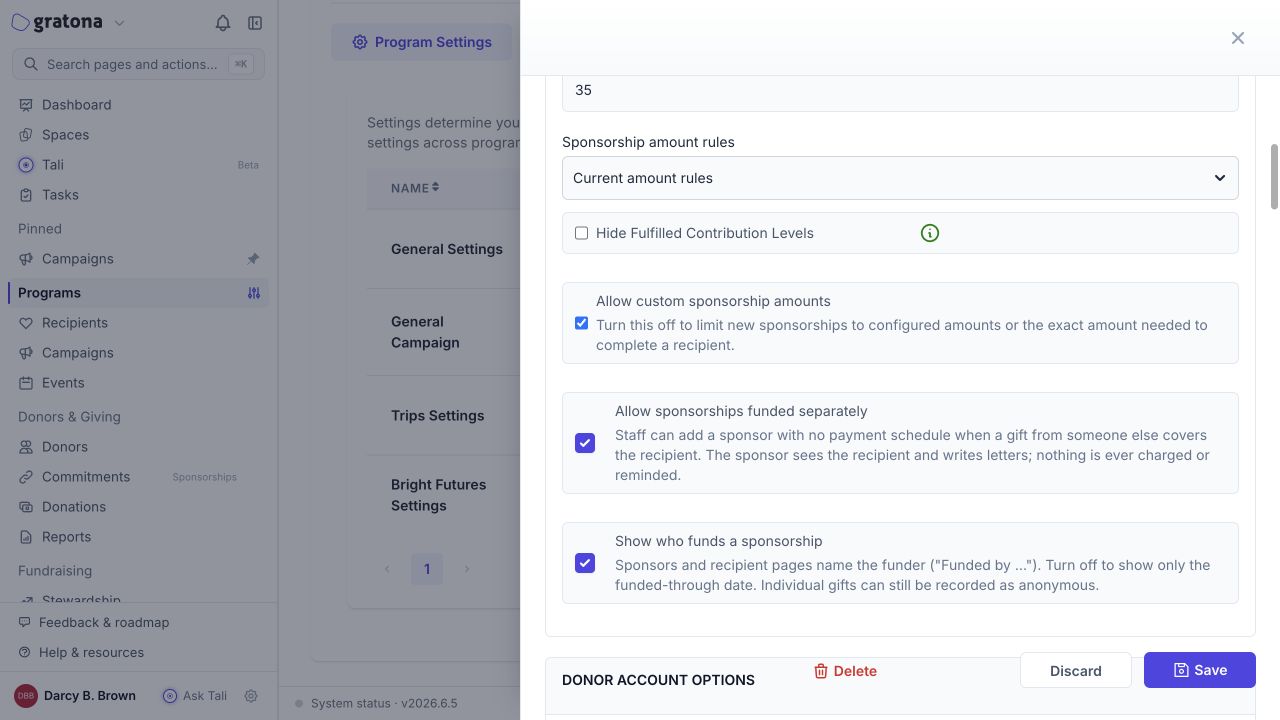
Programs can share a settings profile. A change to it affects every program that uses the same profile.
Turning off Allow sponsorships funded separately later hides those existing sponsorships from active sponsorship views and portal access. It does not turn them into paid commitments.
Create the sponsorship
The Funded separately choice appears only when the recipient's program allows funded-separately sponsorships.
Open the sponsor's donor record and select Add giving > Add Commitment.
Choose the recipient.
Set Payment to Funded separately — no payment.
Review the funding context and save.
The sponsorship is created without a payment schedule. It generates no sponsor charge, no payment method, no due date, and no payment reminder for this relationship.
Review coverage on the sponsorship card
On the sponsor's donor record, the Current tab shows each funded-separately sponsorship marked Funded separately with No payment schedule, plus funding information when coverage has been recorded. The card may show current, upcoming, or ended coverage.
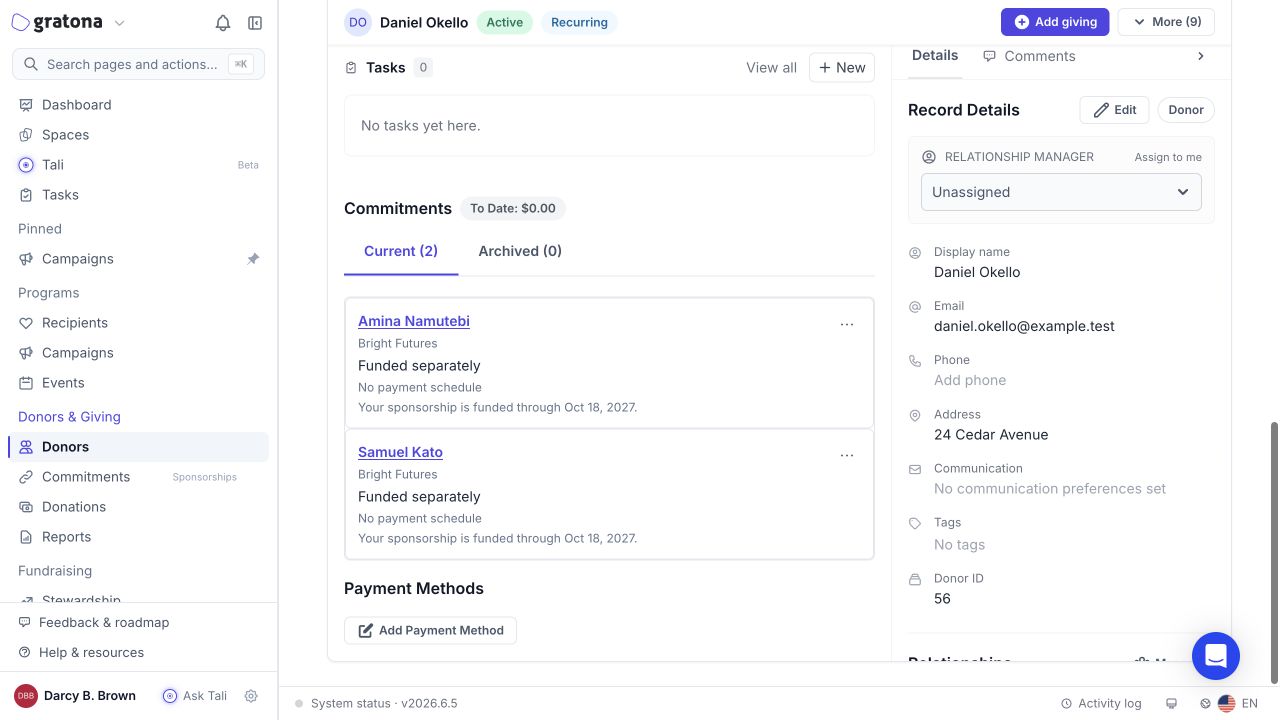
When coverage expires, Gratona does not automatically cancel, archive, or convert the sponsorship, and it does not start charging the sponsor. Arrange a new gift or new coverage. If the sponsor wants to start paying, staff can arrange a normal paid commitment through the usual process.
Archive or restore the relationship
Use the sponsorship's actions menu to archive or restore it. Restoring a funded-separately sponsorship does not create a payment schedule. When the restore preview identifies only funded-separately relationships, no next action date is requested. Recipient capacity checks still apply. Archiving the relationship is separate from ending or reversing the funding on the gift that covers it.
What sponsors and funders see in the portal
The sponsor sees their recipient, the funded-through or ended information, and the funder's name when visibility permits. No payment amount and no payment-management action appear for a funded-separately sponsorship.
The funder sees Your recipient funding, a roster of the recipients their gifts support, rather than a separate sponsor card for each recipient. Funding a recipient on its own does not give the funder the sponsor's letter-writing rights. Follow the program's funder-name visibility setting and respect anonymous gifts when you share names.
Organization subscription billing is separate from payments collected from sponsors. If your organization is billed by sponsorship units, the count includes sponsorships funded separately while their program allows them, plus funder–recipient pairs whose funding covers the billing day. Several gifts from the same funder to the same recipient count as one funding relationship.